Help
Support
Last updated: October 20, 2026
Answers to the most common questions, and a form to reach us if yours isn't here.
How to cancel
- Open your iPhone's Settings and tap your name.
- Tap Subscriptions, then Ranking Filter.
- Tap Cancel Subscription.
You can also get there from Settings › Manage subscription in the app. Cancel at least 24 hours before the renewal date to avoid the next charge. You keep Premium until the end of the period you've paid for. Deleting the app does not cancel a subscription.
How to get a refund
Apple handles all payments, so refunds are requested from Apple. We can't see your payment or issue refunds ourselves.
- Go to reportaproblem.apple.com and sign in with your Apple ID.
- Choose Request a refund and pick a reason.
- Select the Ranking Filter purchase and submit.
Apple usually replies within a few days.
Questions and answers
How does Ranking Filter work?
- Choose a filter on the home screen, then tap Start ranking.
- Pick how long your video will be: 15, 30 or 60 seconds.
- Hold your iPhone at arm's length or prop it up, facing you, and tap record.
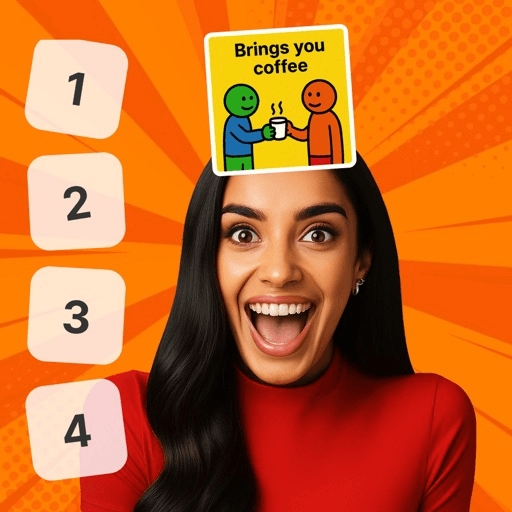
- A pick appears on your forehead. Tap a number from 1 to 10 to place it, and the next one arrives.
- When you're done, your video is ready to save to Photos or share.
Tip: good light and your whole face in the frame help the picks sit neatly on your forehead.
What's free, and what does Premium unlock?
The Love Language filter is free. Ranking Filter Unlimited, a weekly or yearly subscription through Apple, unlocks every filter, including new filters as they're added.
I paid but don't have Premium. How do I restore it?
Make sure you're signed in to the App Store with the Apple ID you used to subscribe, then open the app's Settings and tap Restore purchases. Premium works on every iPhone and iPad signed in with that Apple ID. If it still doesn't appear, send us a message with the order ID from Apple's receipt email.
Why does the app ask to record my screen?
Your video is made with the iPhone's built-in screen recording, so the picks, your rankings and your reactions all end up in one video. The first time you record, iOS asks whether to allow screen recording:
- Record Screen & Microphone gives a video with sound.
- Record Screen Only gives a silent video.
- If you tapped Don't Allow, just tap record again and choose one of the options above.
The recording stays on your iPhone. We never receive it.
The app says it needs camera access
The camera shows you on screen and lets the app find your forehead. Open your iPhone's Settings › Ranking Filter and turn on Camera. Face tracking happens on your iPhone only: nothing about your face is stored or sent.
My video didn't save
- Photos permission: the app needs permission to add videos to Photos. Open Settings › Ranking Filter › Photos and choose Add Photos Only (or Full Access), then tap save again.
- Still finishing: if you left the app while the video was being finished, wait for the "video ready" notification, then open the app to save it.
- Storage: check your iPhone has free space in Settings › General › iPhone Storage.
- No sound: you may have chosen Record Screen Only. Next time, choose Record Screen & Microphone.
Videos you discard, or leave without saving, are deleted and can't be recovered.
Which notifications does the app send, and how do I turn them off?
- Video ready: when a video you recorded has finished while you were away from the app.
- New filters: when a new filter arrives.
- Tips and offers: at most one a day, only if you agreed, and never once you have Premium.
Switch New filters or Tips and offers off in the app's Settings › Notifications. To stop all notifications, go to your iPhone's Settings › Notifications › Ranking Filter.
How do I delete my data?
See Delete your data for what exists and how to ask us to delete it.
Contact us
The app has the same form in Settings › Contact support. Sending from there can include your app version and device, which helps us fix problems faster.